BETA 6 · WINDOWS 10/11 · VST3

HPDG

HAMLOPROD DRUM GENERATOR

Drums and bass for your beats, generated in your DAW. VST3 for Windows.

  • Five genres, 28 styles: Boom Bap, Trap, DnB, Techno, Atmospheric
  • Builds a beat around your own loop or copies a drum break
  • Drag MIDI or WAV straight into any DAW

Version 0.1.0 Beta 6 · Windows 10/11 64-bit · VST3 · no activation

5genres
28styles
913samples
€9.99Beta 6
LIVE / 03:01

See and hear it in action

Every screen and every sound in this video comes from the real Beta 6 plugin.

HPDG

What HPDG is

HPDG writes drum patterns and a bass line for you. Pick a genre and a style, press Generate Pattern, and a full beat appears in the grid: kick, snare, hats, percussion, cymbals and an 808 or bass line, already playing with its own sounds.

Listen, change what you don't like — one lane or the whole beat — and drag the result into your DAW as MIDI or audio. Every style has its own rules for groove, swing, density and fills, so each click gives a new beat in the same style, not random notes.

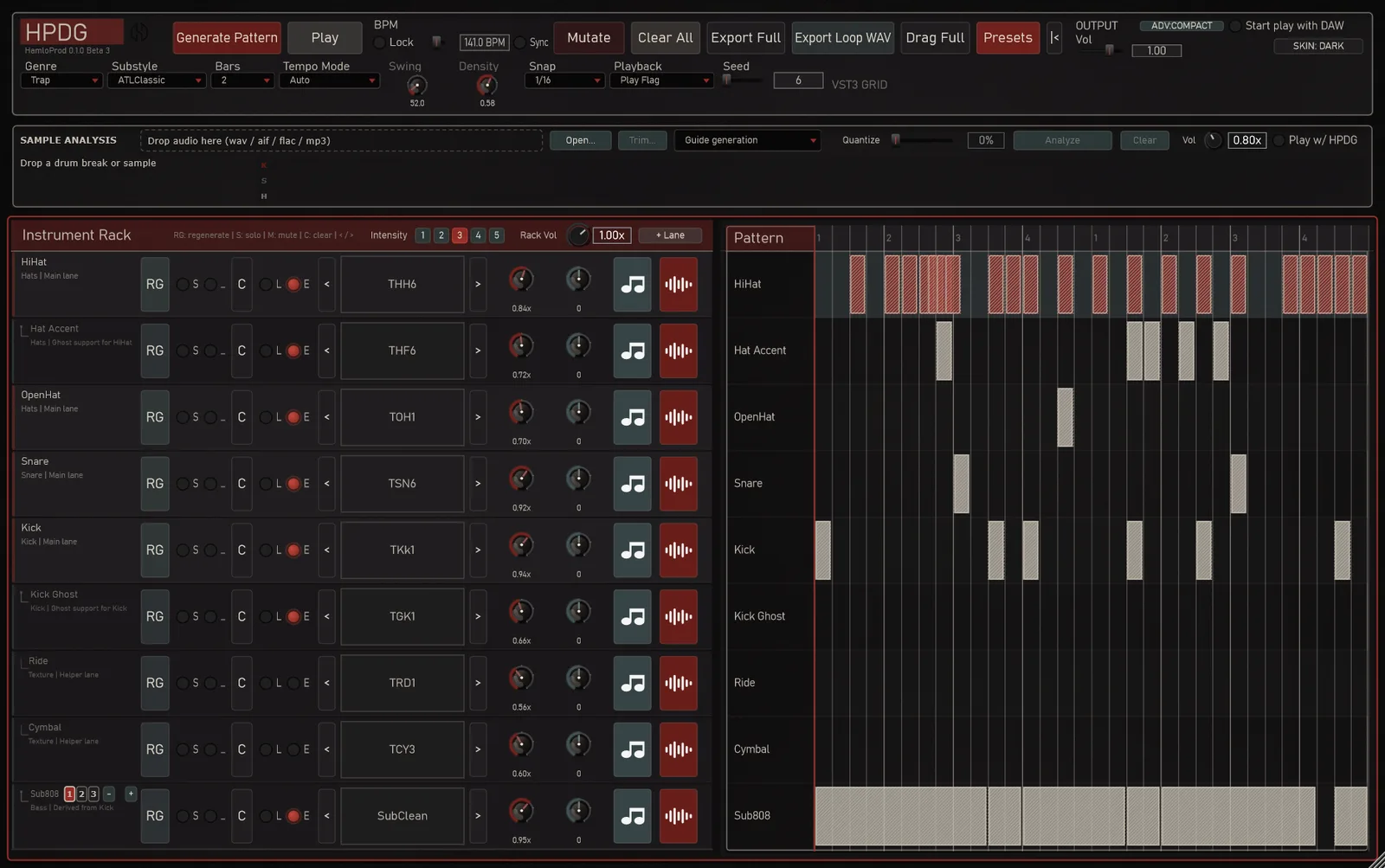
HPDG with a Trap pattern in the grid
5 GENRES / 28 STYLES

Genres and styles

Boom Bap

Classic · Dusty · Jazzy · Boom Bap Gold · Russian Underground · Lo-fi Rap

Trap

ATL Classic · Dark · Cloud · Rage · Memphis · Luxury

DnB

Modern · Roller · Liquid · Neurofunk · Jump-Up · Breakbeat

Techno

Peak Time · Hypnotic · Minimal · Detroit · Dub · Acid · Hard

Atmospheric

Pulse · Two-Step · Broken

  • TrapHi-hat rolls and triplets, 808 lines across the whole phrase with glides, half-time snares.
  • TechnoFour-on-the-floor kick, off-beat hats, percussion, its own bass sounds (including a tech-house kit).
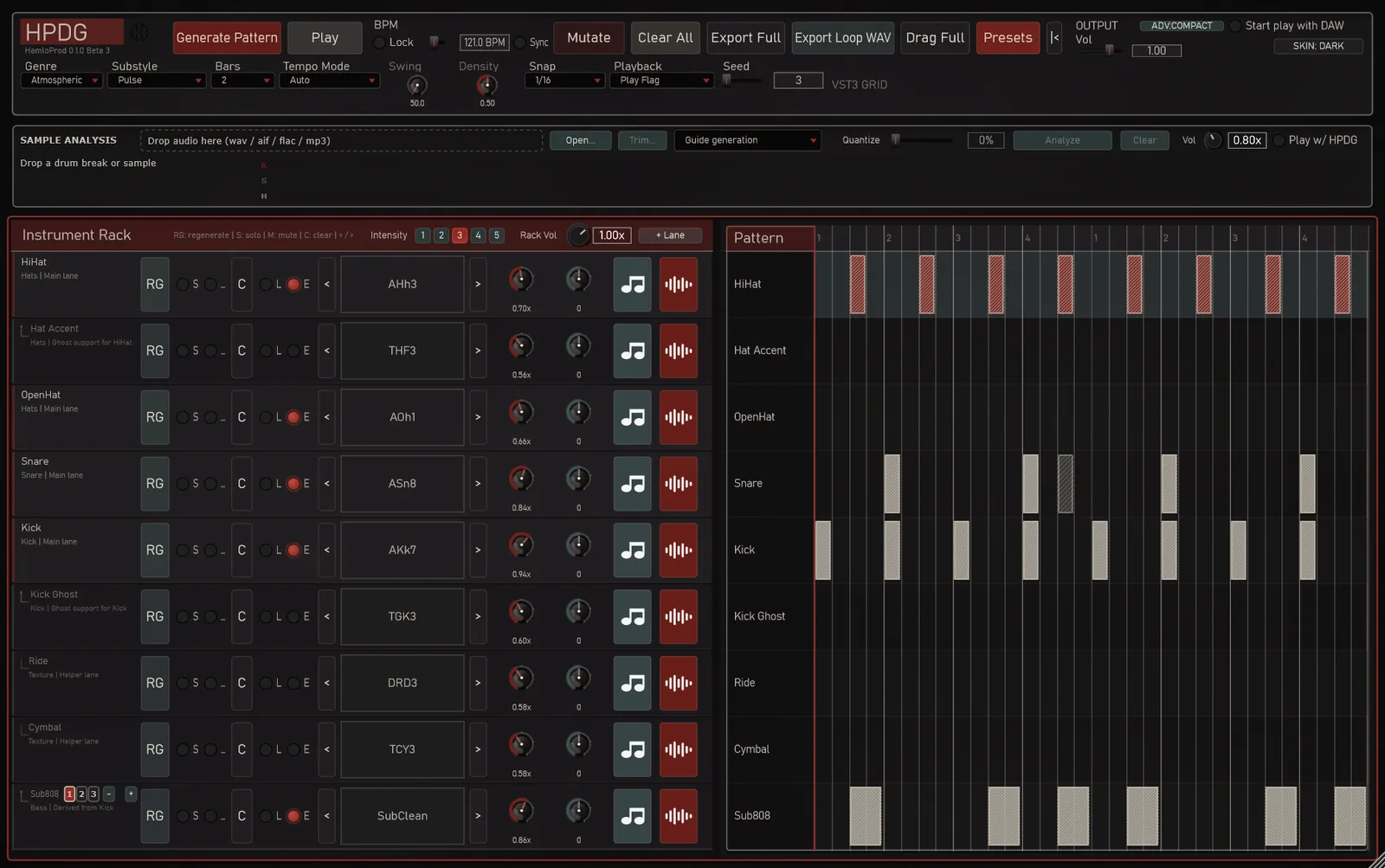
  • AtmosphericPulse, Two-Step and Broken rhythms with a melodic bass over minor harmony and its own drum and bass kit.
The Atmospheric genre in HPDG
WORKFLOW

From idea to track

Generate the foundation, guide the groove with your sample, and move the result into your project.

01

Start from your sample

Drop a loop or a sample into Sample Analysis (WAV, AIFF, FLAC, MP3). HPDG measures its tempo, swing and key and finds the bass notes, then builds the beat for that sample: the same tempo, a bass line in the right key, a groove that sits with the loop. Play w/ HPDG plays your loop and the beat together inside the plugin, with its own volume, before you export anything.
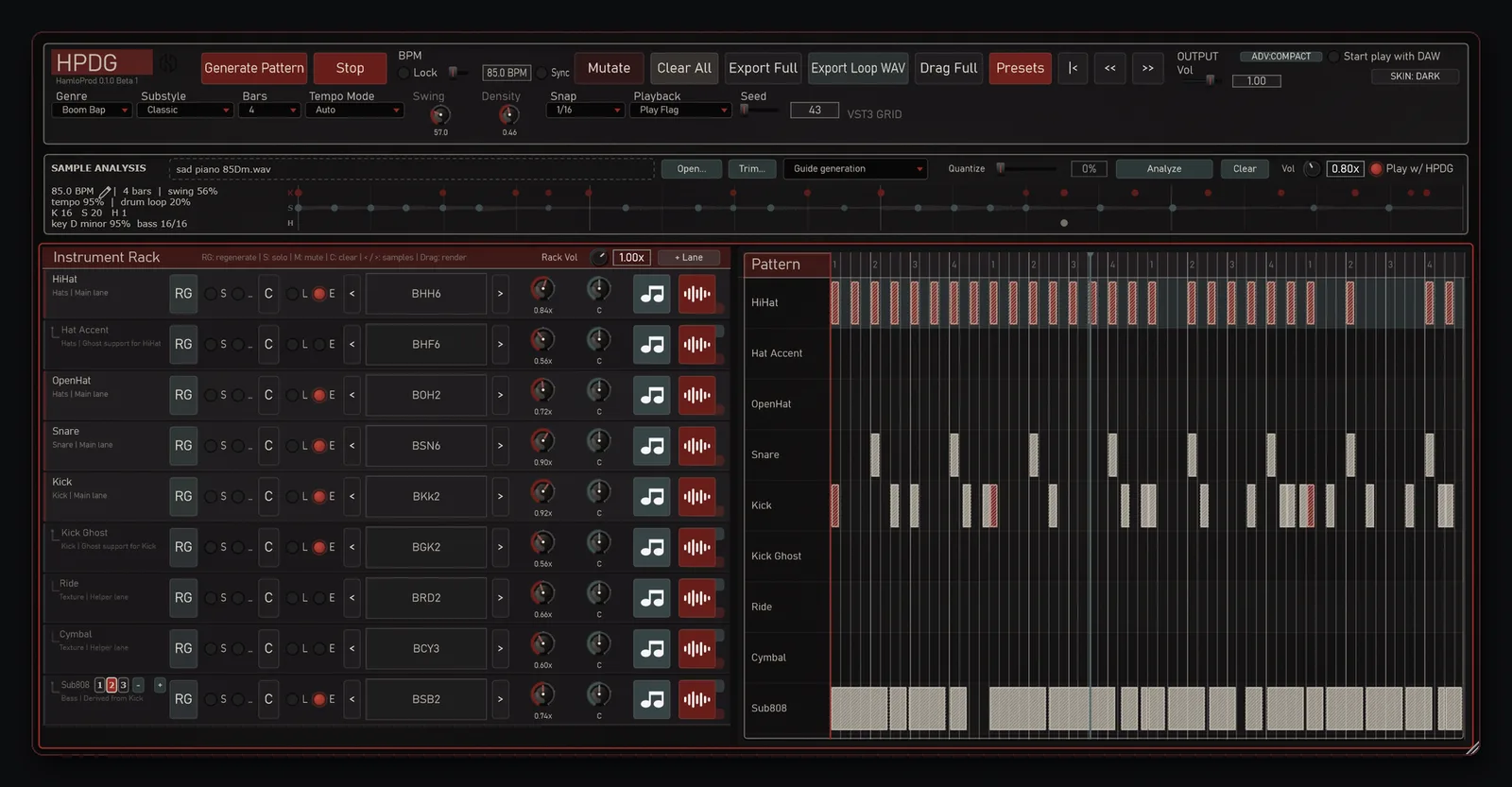
  • Trim — pick the part of the file you need: Loop / Play / Stop, drag the edges, or type “Selection = N bars” and the tempo follows.
  • Guide generation (default) — the analysis guides the generator.
Sample Analysis and Guide generation in HPDG
02

Turn a break into lanes

Copy break (K/S/H): drop a drum break and HPDG transcribes it hit by hit into Kick, Snare and Hi-Hat lanes with the original timing and swing. Then swap the sounds, quantize as much as you like (Quantize), add a bass line, mutate it.
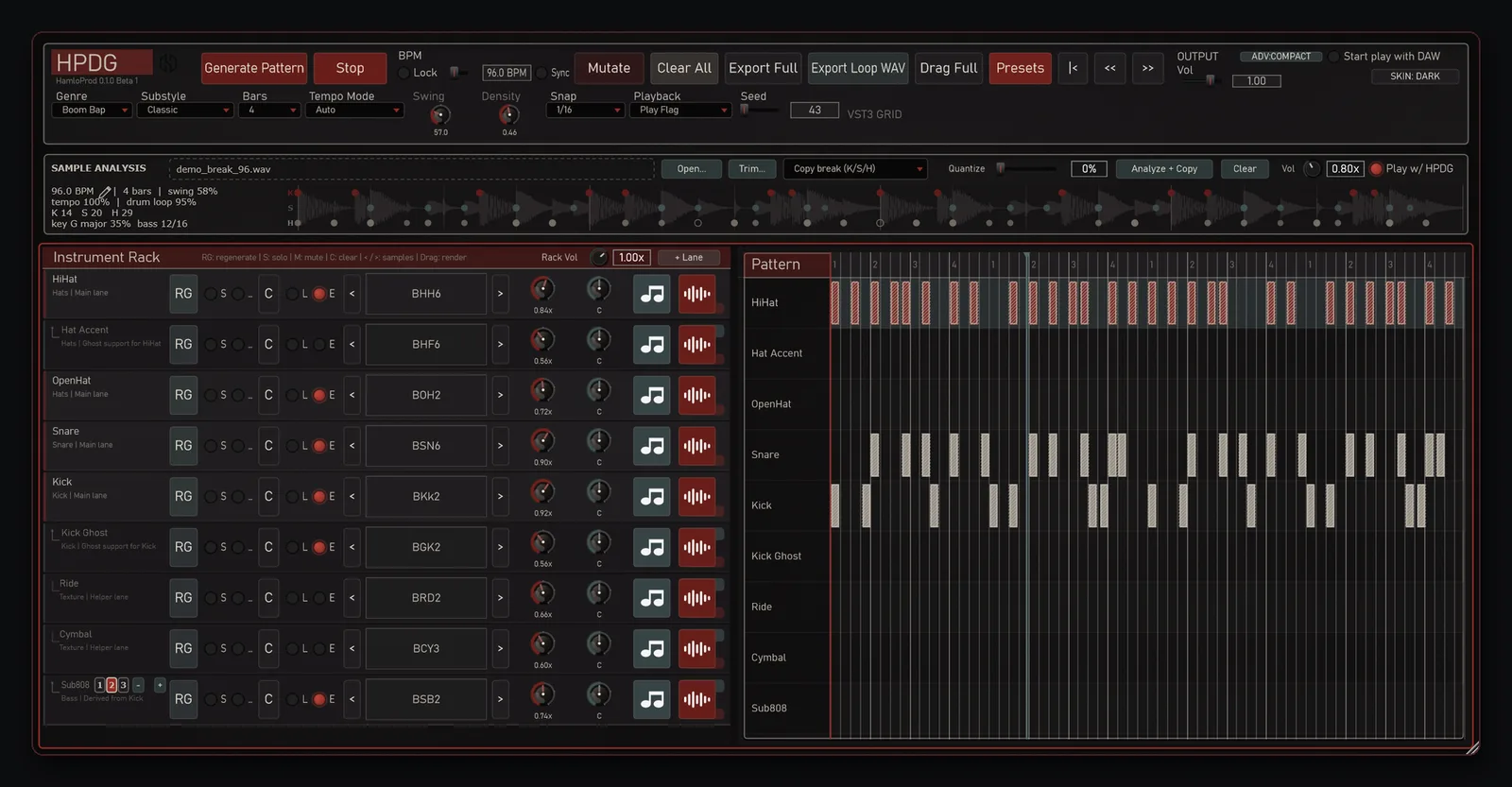
Copy break mode in HPDG
03

Into your DAW

Whatever you made goes into your project with one drag.
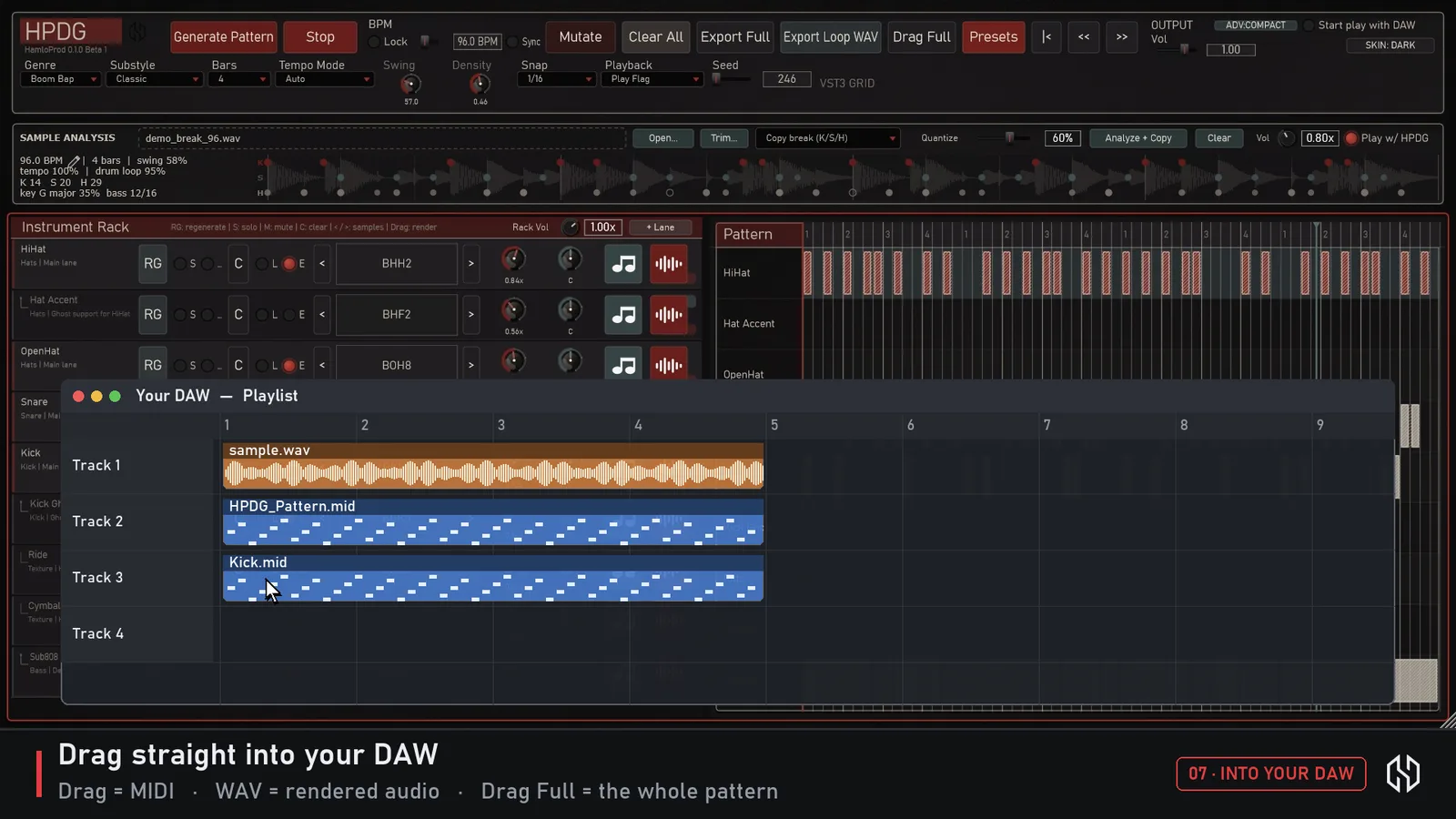
  • Drag Full — drag the whole pattern onto a MIDI track. Export Full saves it as a MIDI file.
  • The MIDI button on a lane drags just that part; the WAV button drags it rendered with its sound.
  • Export Loop WAV saves the full mix as an audio loop.
  • While you drag, the plugin window steps aside once the file leaves it (FL Studio and others).
  • Everything is saved with your DAW project; Presets keep settings you like.
Dragging a MIDI pattern from HPDG into a DAW
04

Control every lane

Each instrument is one lane: HiHat, Hat Accent, OpenHat, Snare, Kick, Kick Ghost, Ride, Cymbal, Sub808 — add more with + Lane.
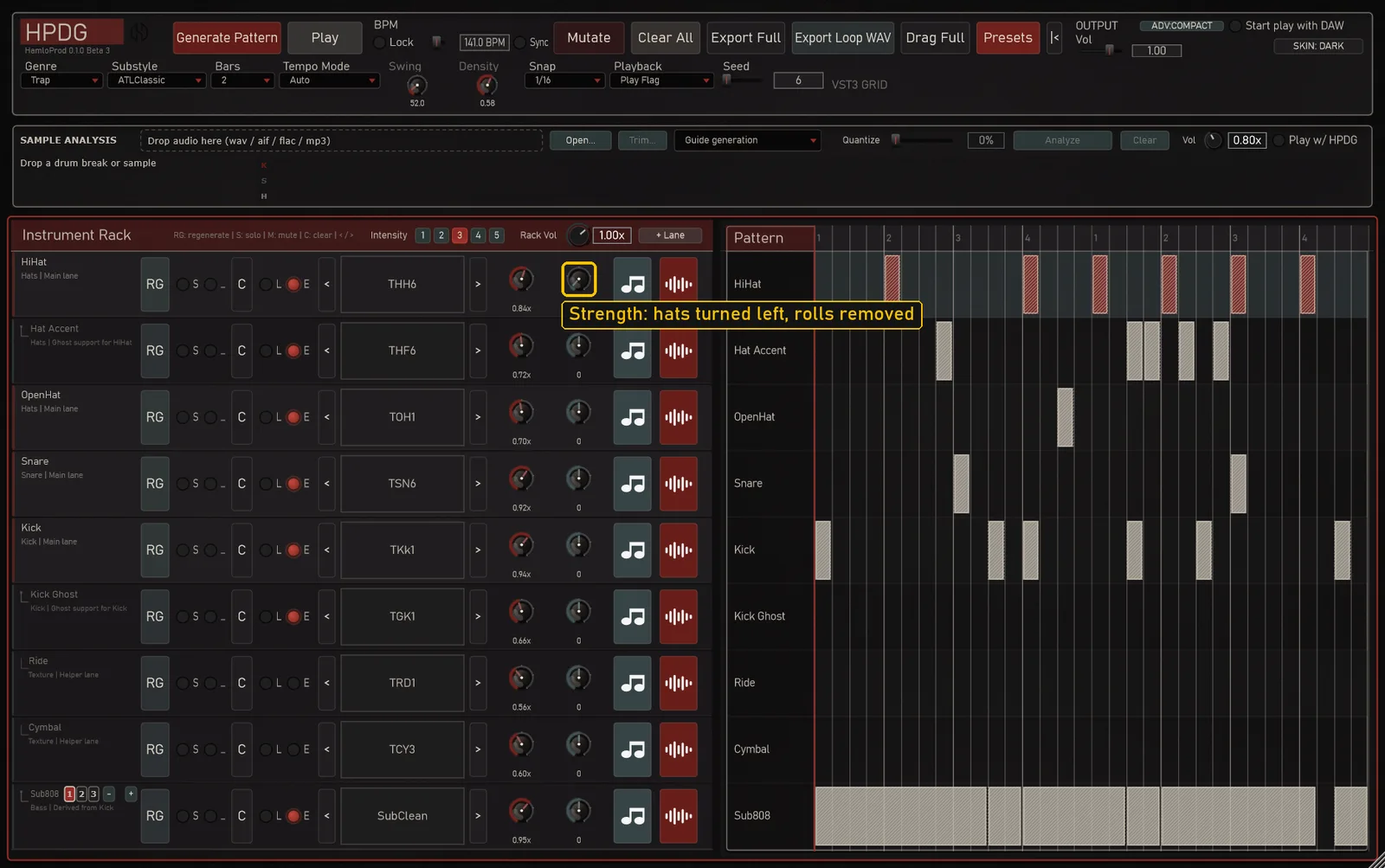
  • RG regenerates one lane and keeps the rest; Mutate makes a variation of the whole beat.
  • S Solo, M Mute, L Lock (protect a lane from changes), C Clear; < > flip through the kit sounds.
  • Strength per lane: left removes the weakest hits, right adds hits typical for the genre. On Trap hats it removes whole rolls first and keeps the quarter notes.
  • Intensity 1–5 for the whole rack: 1 is the simplest beat, 5 the busiest.
  • Sub808: bass amount 1 / 2 / 3, – / + shift the octave (Shift — a semitone; MIDI export keeps it). By default it plays HPDG's own synth sub (4 variants).
  • Rack Vol for the whole kit; the pattern grid lets you draw and edit hits by hand.
Strength knob on the HiHat lane: rolls removed
05

Shape the groove

BPM (with Lock and Sync to the DAW tempo), Swing, Density, Bars (1, 2, 4, 8, 16), Tempo Mode (Auto, Original, Half-time), Snap (1/4 to 1/64, triplets, Adaptive, Micro), Seed (repeat a generation exactly), Playback (Play Flag or Loop Range), Start play with DAW. Advanced view adds Velocity, Timing and Humanize.

SKINS

Three skins

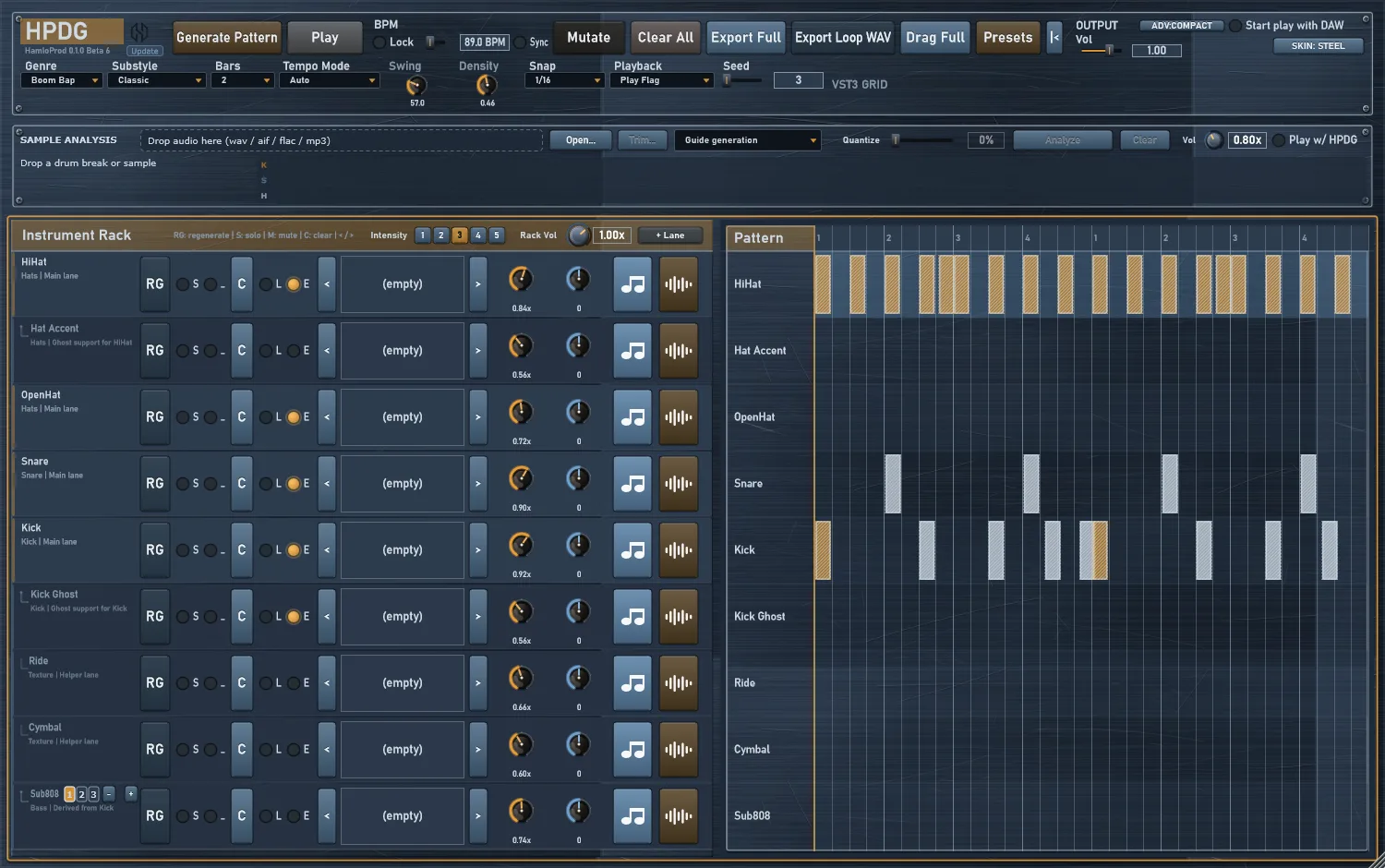
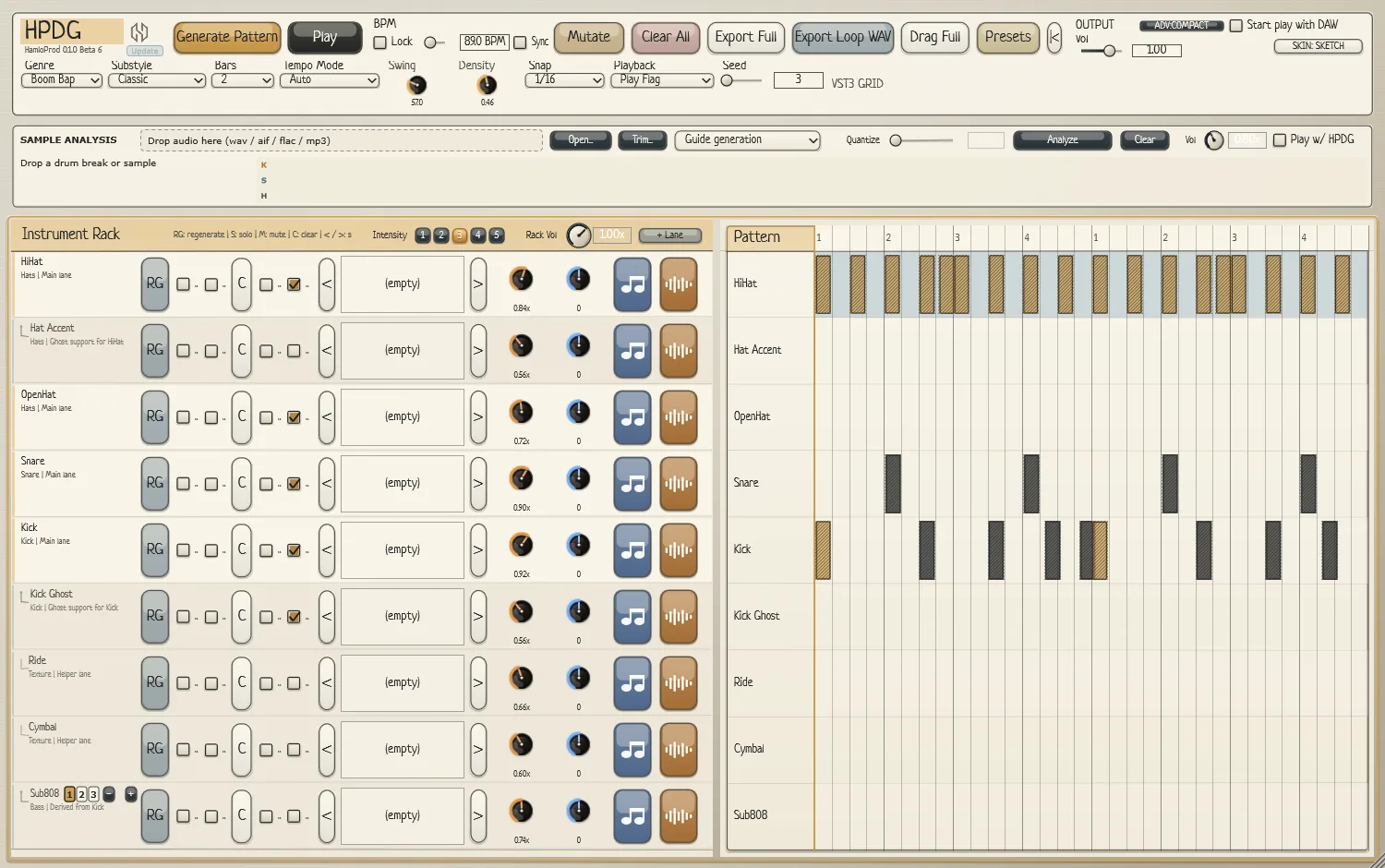
Dark, Steel and Sketch — switch any time from the SKIN menu.
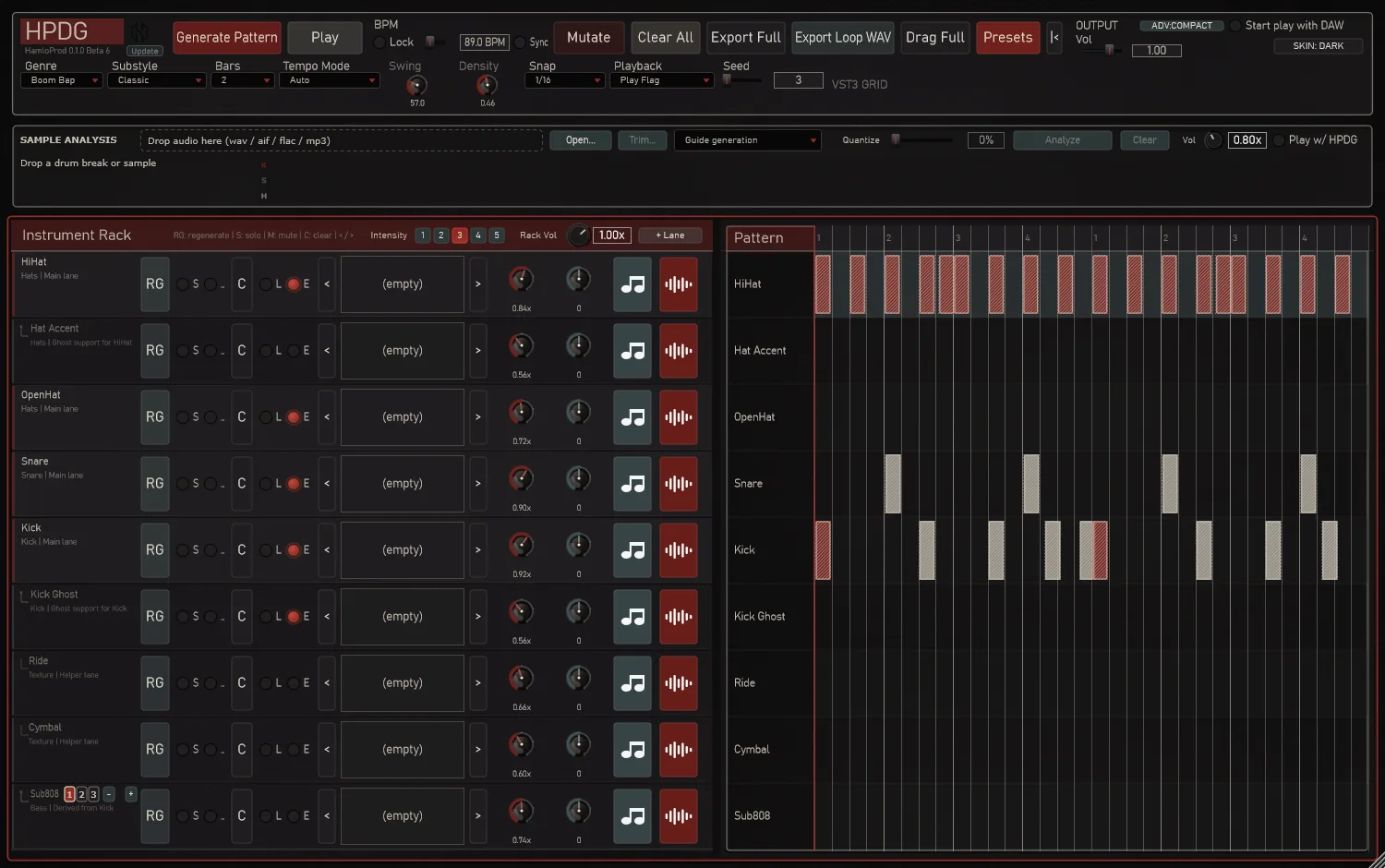
HPDG Dark skin
Dark
HPDG Steel skin
Steel
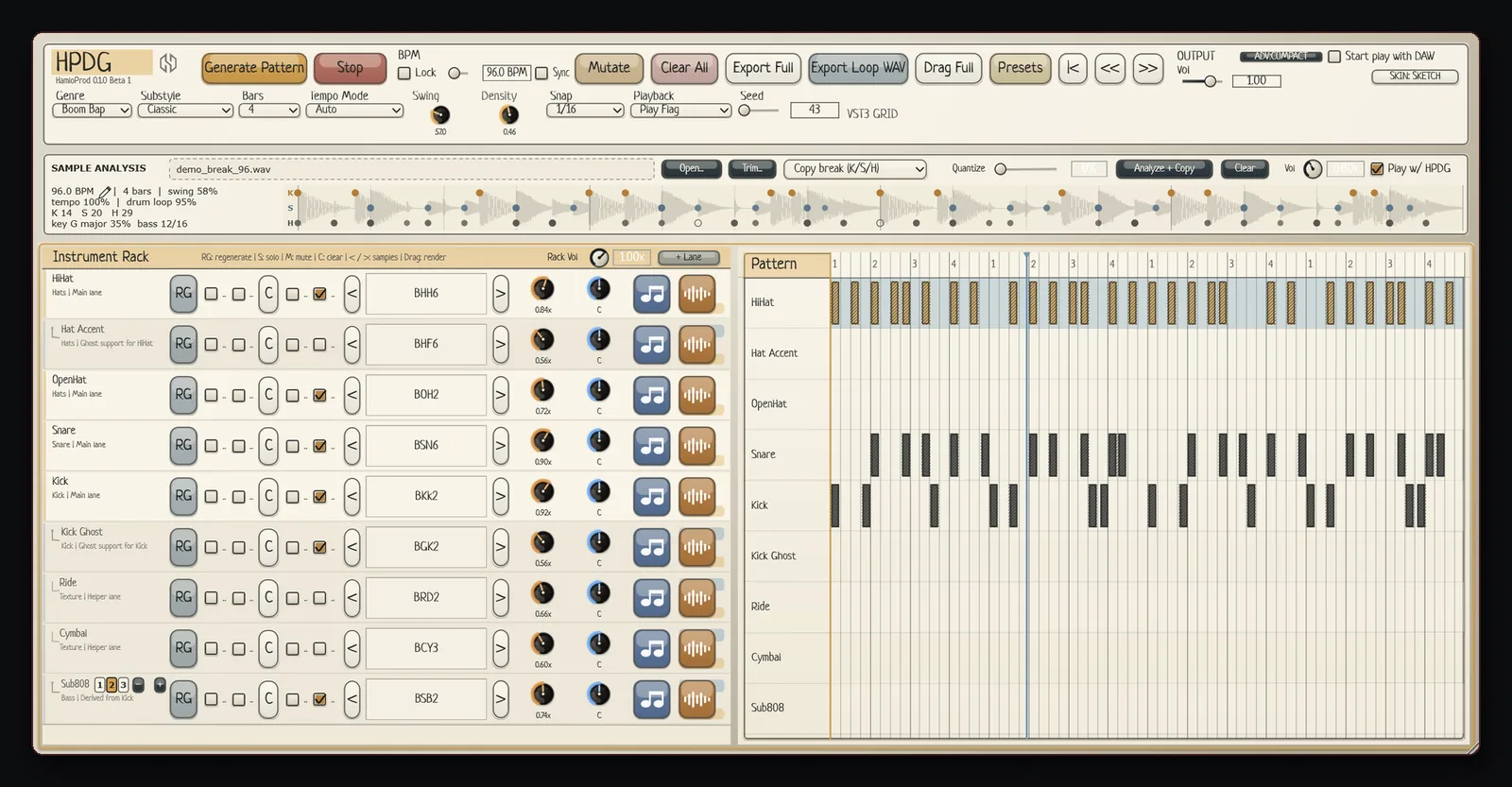
HPDG Sketch skin
Sketch
NEW · BETA 5–6

Updates inside the plugin

Next to the version in the header there is a small Update button.
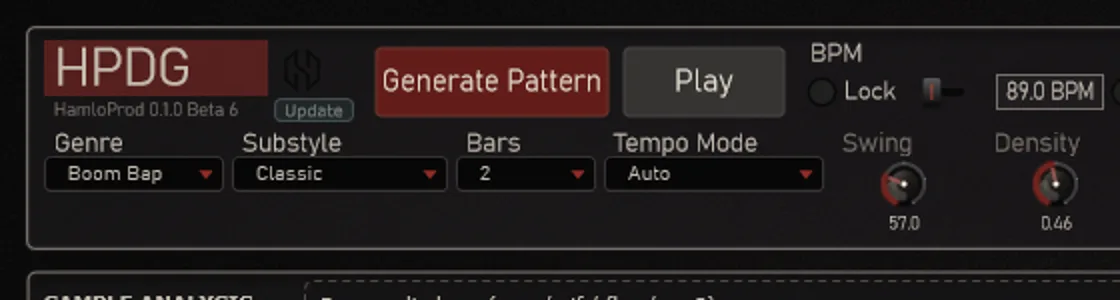
  • Click it: HPDG asks hamloprod.org whether a new version is out — Latest, Update: <version> or Offline.
  • When a new version is out, click again and enter your license key once. HPDG downloads the installer, checks that it is complete and unchanged (SHA-256), and starts it when you confirm. Save your project first: the installer asks you to close the DAW.
  • Click HPDG in the header for the menu: Update, Instruction (the guide), Site.
  • No internet? HPDG works exactly as before.
HPDG header with the Update button next to the version
Your license keyHPDG-XXXX-XXXX-XXXX-XXXX

Looks like HPDG-XXXX-XXXX-XXXX-XXXX and comes by email to the address you used to buy HPDG. It is only for downloads and updates — every feature works without it, and there is no activation. Lost it? Write to hello@hamloprod.org from your purchase email.

WINDOWS / VST3

Requirements and install

  • Windows 10 / 11, 64-bit; a 64-bit DAW with VST3 support. Tested in FL Studio.
  • One installer (~110 MB): the plugin, 913 factory samples and the Visual C++ Runtime. Nothing else to download, no account.
  • Installs to C:\Program Files\Common Files\VST3\HPDG.vst3 — rescan VST3 plugins in your DAW.
  • Format: VST3 plugin only, Windows only.
DEV LOG

What's new

HPDG 0.1.0 Beta 6

  1. 01The installer and the guide in English.
  2. 02The FAQ explains the license key.

Earlier versions · developer diary

HPDG 0.1.0 Beta 5
  1. 01The Update button and in-plugin updates with your license key.
  2. 02The HPDG menu: Update, Instruction, Site.
HPDG 0.1.0 Beta 3
  1. 01New genre Atmospheric (64 new samples).
  2. 02Intensity 1–5 and a Strength knob on every lane.
  3. 03Trap 808 in the right register with glides; HPDG synth sub by default.
  4. 04The window steps aside while you drag into the DAW; Guide generation by default.
HPDG 0.1.0 Beta 2

Beta 2 deepened sample and bass control, added another Techno character, and made the interface more flexible.
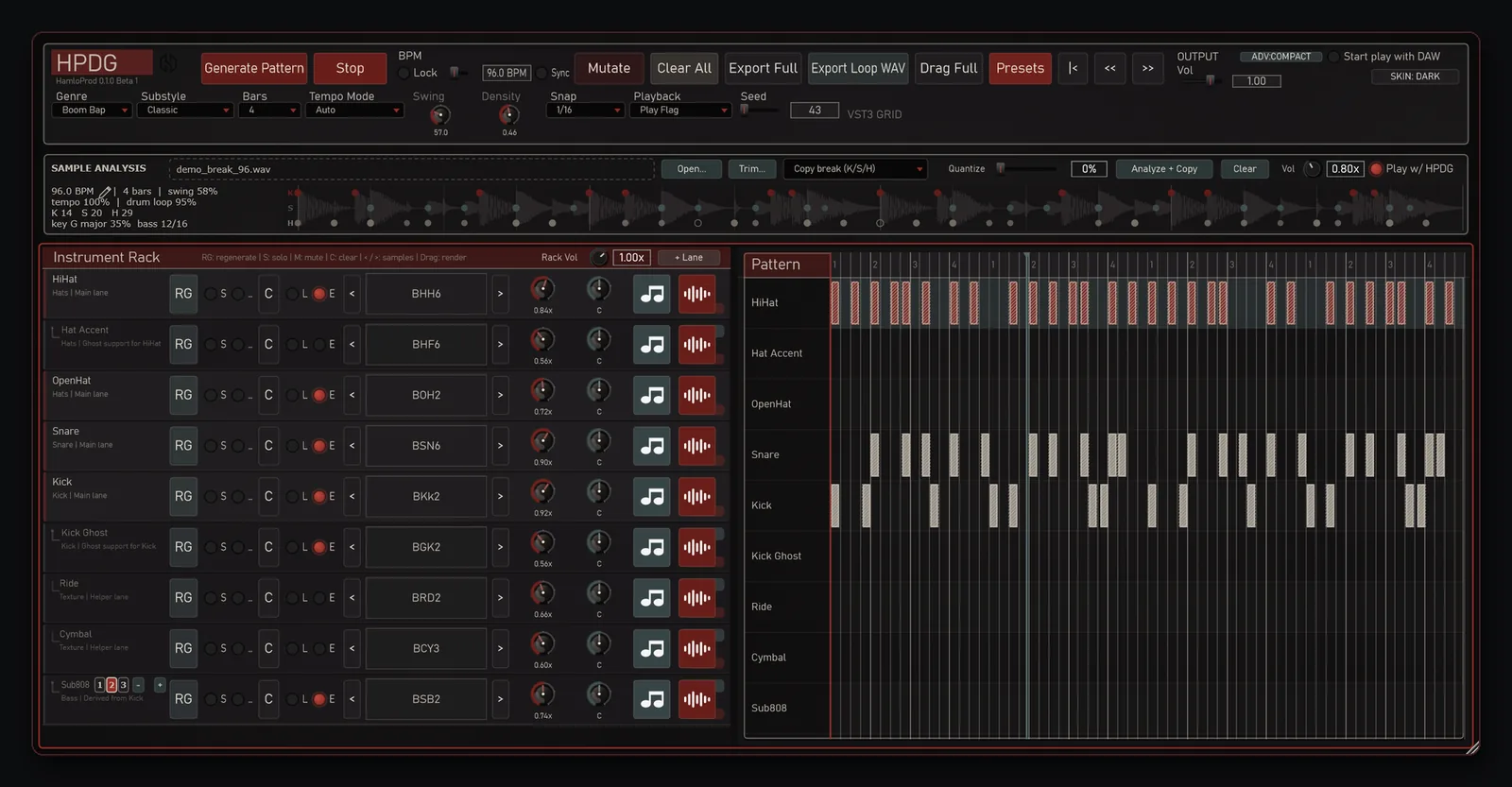
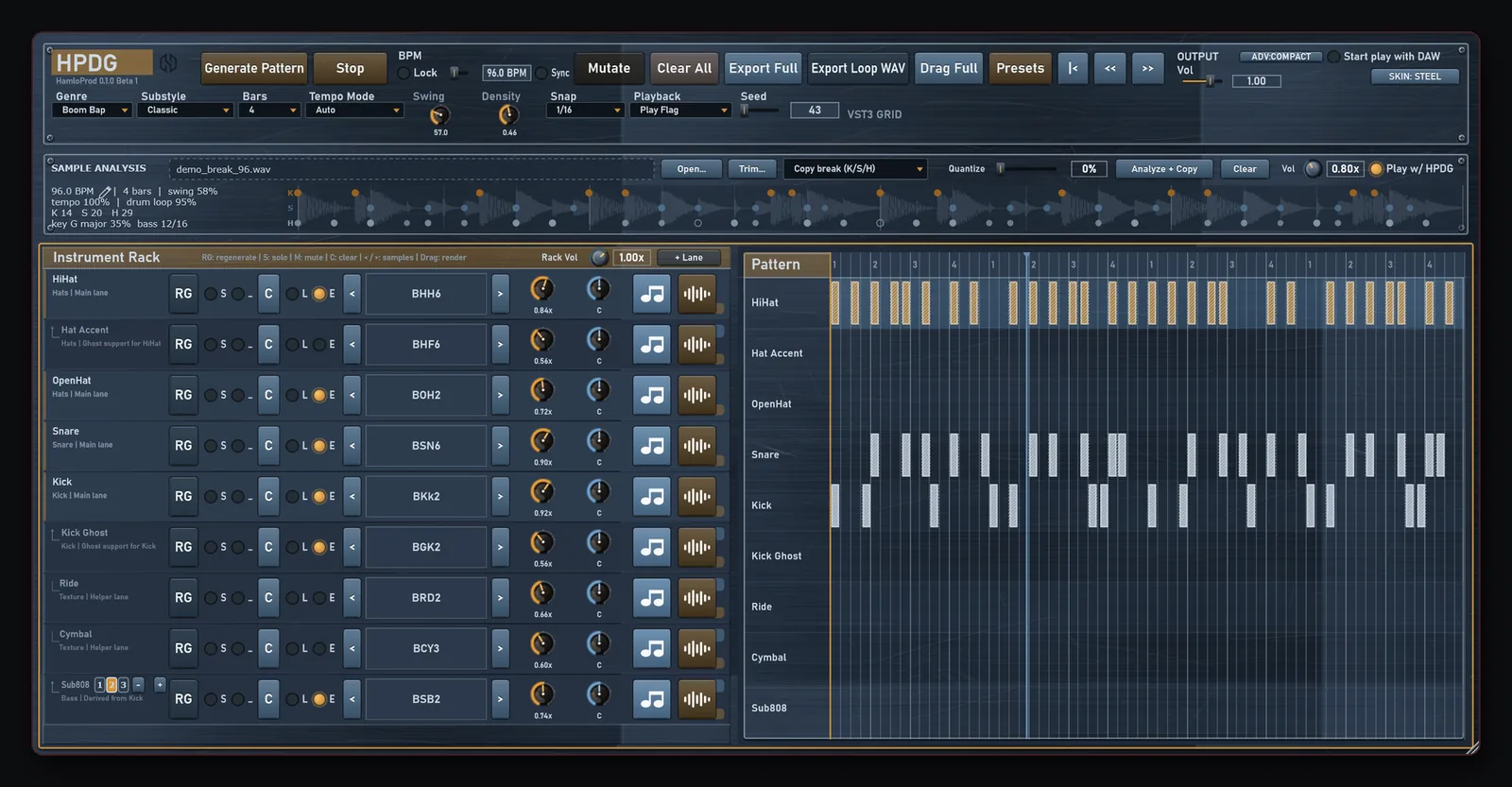
  1. 01Trim Sample: Loop / Play / Stop plus click-to-position playback
  2. 02Selection = N bars calculates tempo from an exact bar count
  3. 03Sub808 follows written MIDI notes; − / + changes octave, Shift changes semitone
  4. 04Dark and Steel skins switch directly from the Skin menu
  5. 05A second Techno kit focused on tech house, plus 100 new samples
HPDG Beta 2 Dark skin
Dark
HPDG Beta 2 Steel skin
Steel
HPDG Beta 2 Sketch skin
Sketch

EARLY ACCESS

Get HPDG

HPDG 0.1.0 Beta 6 costs €9.99. After payment, your license key is sent to the email used in Stripe.
€9.99

HPDG 0.1.0 Beta 6

The current HPDG beta for Windows plus updates through the Update button.

  • VST3 plugin and 913 factory samples (one ~110 MB installer)
  • License key by email — updates right in the plugin
  • Windows 10/11 64-bit · no activation
Buy for €9.99
How it works

Pay on Stripe and enter your email. Your license key arrives there: download HPDG at hamloprod.org/hpdg/download and enter the key once in the plugin — new versions then arrive through its Update button. Questions: hello@hamloprod.org.

Honest note: HPDG is in beta. Keep backups of your projects and tell us about bugs (HPDG version, Windows, DAW, genre, style, BPM, Seed and the steps).

Windows 10/11 64-bit · VST3
FAQ

FAQ

Does it need internet or activation?

No. The Update button uses the internet only when you check for or download an update.

Which DAWs?

Tested in FL Studio. Any 64-bit Windows DAW that loads VST3 should work — tell us if something doesn't.

Can I sell and release beats made with HPDG?

Yes. Patterns, MIDI and audio you make with HPDG — including the factory sounds inside your tracks — are yours to release and sell, royalty-free. You just can't resell or share the factory samples themselves (as a sample pack or kit).

Is there a Mac version?

No. HPDG is a VST3 plugin for Windows only.

How do I get HPDG after paying?

Your license key is sent to the email used in Stripe. With it you download HPDG at hamloprod.org/hpdg/download.

How do I update?

Press Update in the plugin header. Or run the new installer over the old one — projects and settings stay.

How do I uninstall?

Windows Settings → Apps → HPDG VST3.